Monday, November 11, 2019
New site coming soon
I've been on blogger for about 5 years now, but I want to get back to my roots of hand-coding. So I'll be shifting to Github Pages soon. If you want a preview as I shift over content you can find it at http://github.mightybuda.com.

Friday, May 24, 2019
VSS365 - Vile
Every society has an "untouchable" class, from the sewer cleaners of the East to the sin eaters of the West. The Assasins' Guild was no different.
For a people to advance, they need a means to remove that which is #vile.
A dirty job still needs workers.
Thursday, May 23, 2019
VSS365 - Gossamer
The blade was thin, and the edge sharpened fine as #gossamer. It would only serve for a single cut.
But then there was only one Prime Minister.
Wednesday, May 22, 2019
VSS365 - Frisson
Father and daughter in the second row
Click, click, click
Tiny people below are having fun.
Pause, #Frisson, Descent
Involuntary scream
Joy
Saturday, April 13, 2019
Black Bean Soup
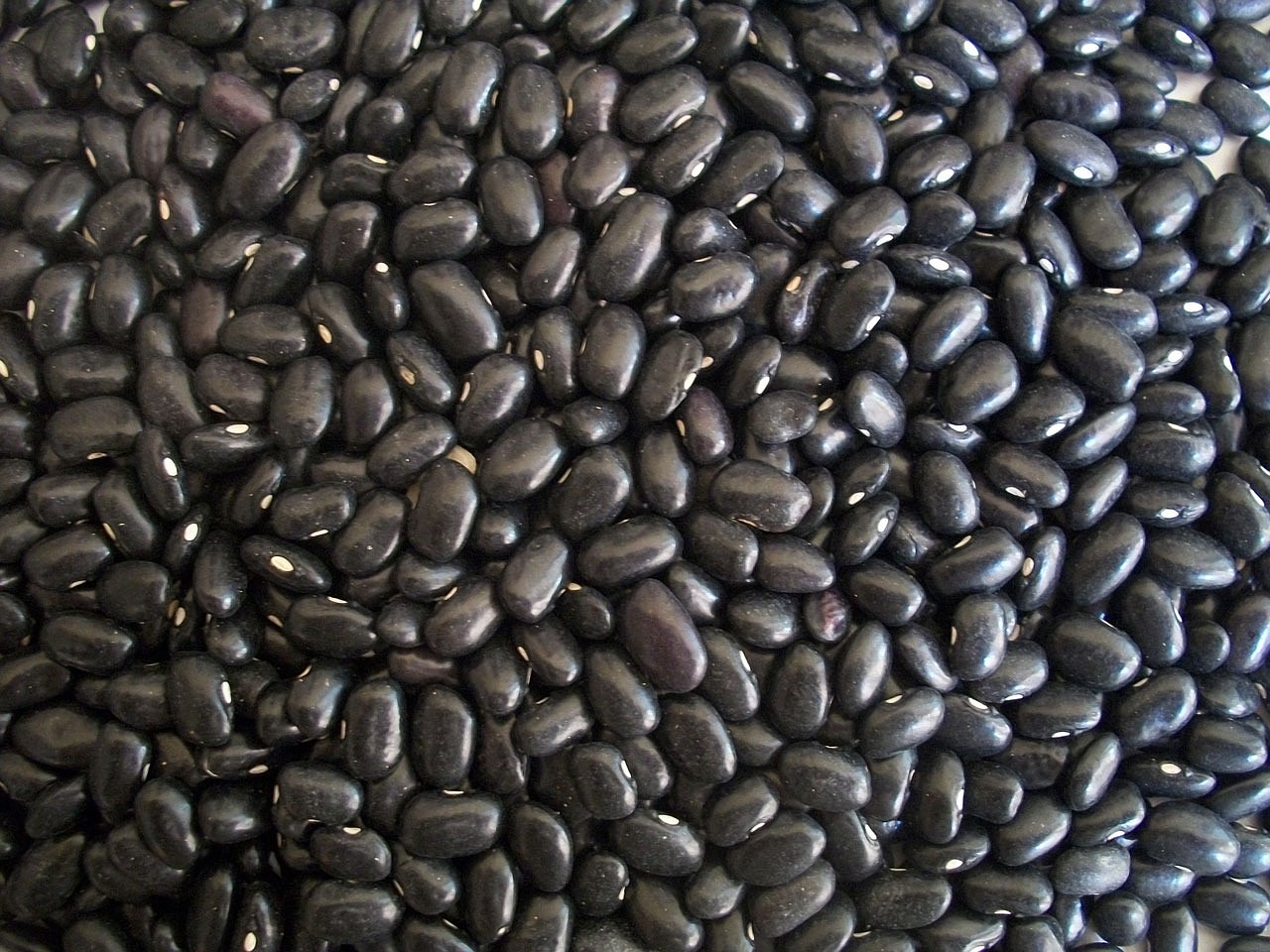
The wife and I do a lot of meatless days during Lent. But there is only so much pizza, pancakes, and tuna fish sandwiches you can have. SO we started looking into making some high protein vegetarian soups and stews. After a few tweaks to some black bean soup recipes, this is our current go to. We do it in the Instant Pot, which makes it fast enough she can turn on the pressure when I leave work and we're eating by the time I get home.
Ingredients
- 2 Tbsp canola (or another vegetable) oil
- 1 medium onion - diced
- 1 large carrot - diced
- 1 bell pepper - diced
- 2 stalks celery - diced
- 1 lb dried black beans
- 5 cloves of garlic - minced
- 4 tsp chili powder
- 1.5 tsp ground cumin
- 1.5 tsp oregano
- 1tsp kosher salt
- 2 bay leaves
- juice from one lemon
- 4 cups chicken stock (or vegetable stock if you prefer)
- 2.5 cups water
- 1/2 cup Goyo Mojo Criollo*
Instructions
- Set Instant Pot to saute. Add oil, onion, carrot, pepper, and celery and saute until onions turn clear.
- Add remaining ingredients and lock lid.
- Cook on high pressure for 1 hour
- Let natural pressure release for 10 minutes, then you may rapidly release pressure.
- Scoop out half of the beans and set aside.
- Take a stick blender and process remaining soup in the pot until smooth. Return saved beans to pot and stir in.
- Serve and enjoy
* - This isn't required but I found it added a lot of good flavors. If you don't have on hand, you can replace with water.
Wednesday, April 10, 2019
Buffalo Chicken Stew

Ingredients
- 1.25-pound ground chicken or turkey
- 15 oz canned white beans (navy beans generally but anything on hand), drained and rinsed
- 14 oz can diced tomatoes, drained
- 2 cups chicken broth
- 1/4 - 1/2 cup buffalo wing sauce (I like 1/2 cup, but if you have non-spicy guests go lower)
- 1 package ranch dressing mix
- 1 cup frozen corn kernels
- 1/2 teaspoon onion powder
- 1/2 teaspoon garlic powder
- 1/2 teaspoon celery salt
- 1/2 teaspoon dried cilantro
- 1/4 teaspoon salt
- 8 oz cream cheese
- Blue cheese crumbles optional
Instructions
- Brown ground poultry until fully cooked in Instant Pot on Saute setting
- Add remaining ingredients except for blue cheese. Leave the cream cheese in a block on top, it will get stirred in later.
- Cook on high pressure for 45 minutes
- Natural release pressure and stir well to combine cream cheese
- Served with a sprinkling of blue cheese on top
Sunday, February 3, 2019
The Cowboy Song - Ukulele Chords

At the end of Joe vs the Volcano, Joe (played by Tom Hanks) strums this fun and simple song on the ukulele. I've read They wanted something Mr. Hanks could easily play on his own, and given it only two chords I'd say they nailed it. I've seen this written out in a few different keys, but this is the version I play because it's a) easy and b) I think what they played in the movie.
Saturday, February 2, 2019
Cowboy Caviar

Here's a healthy, no cooking, super delicious salad that works as a dip or eaten directly with fork or spoon. We make it for big parties as it travels well and works best if made ahead of time. Generally, we serve with scooping tortilla chips.
Cowboy Caviar
- 1x 15oz can black-eyed peas (drained)
- 1x 11oz can of corn (drained)
- 2x avocados (diced)
- 1/2 cup diced tomato
- 2/3 cup red onion (diced)
- 2/3 cup fresh cilantro (chopped)
- 1/4 cup olive oil
- 1/4 cup red wine vinegar
- 2 clove garlic (minced)
- 1 tsp ground cumin
- Combine all ingredients and mix.
- Let sit several hours before serving with chips. 24 hrs is even better
Notes: Recipe is extremely forgiving of substitutions. We often swap black beans for the black-eyed peas, frozen corn for the canned, and in winter we use a 2 Tbsp dried cilantro instead of fresh.
Wednesday, January 30, 2019
La Vie En Rose - Ukulele Chords
Cynthia Lin Music has an amazing ukulele channel on Youtube with lots of tutorials both for songs and for basic ukulele technique. Of the online ukulele teachers, she comes across as one of the most professional music teachers, but a very organized approach to teaching from beginners to intermediate work. (she may have more advanced work but I'm not there yet in my playing).
Here's one of my favorite videos she made:
I made a quick music sheet based on this tutorial so it was easier to follow along and then go practice on my own.
Here's one of my favorite videos she made:
I made a quick music sheet based on this tutorial so it was easier to follow along and then go practice on my own.
Monday, January 28, 2019
Cuban Pulled Pork
When it comes to hosting a meal, I'm a big fan of pulled pork. There are many varieties and it can be made as fancy or as simple as you like. This recipe is based on a freeze-ahead slow cooker recipe from IAmThatLady.com as part of one of her $150 Aldi shopping plans where you prep twenty meals.
I liked the idea, but once I got my Instant Pot, I no longer really needed to prep as much ahead. You can make this is an hour and a half so I can start it when I get home or even on weekends after we clean up from lunch. Here's my adjusted version.
Cuban Pulled Pork
I liked the idea, but once I got my Instant Pot, I no longer really needed to prep as much ahead. You can make this is an hour and a half so I can start it when I get home or even on weekends after we clean up from lunch. Here's my adjusted version.
Cuban Pulled Pork
- 2 lb Pork Tenderloin
- 1/2 Large Sweet Onion - Diced
- 3 tsp garlic - minced
- Juice from 1 lime
- 3/4 tsp salt
- 1/2 tsp black pepper
- 1 tsp ground cumin
- 1 tsp dried oregano
- 1/4 tsp garlic powder
- 3/4 cup beef broth
- Combine all ingredients in Instant Pot.
- Cook at high pressure for 60 minutes
- Natural pressure release for 10 minutes. Then shred pork and stir back into juices.
I generally serve with small flour tortillas and some guacamole. Served that way, this recipe will serve 6-8 adults.
Monday, January 21, 2019
Ukulele Hymn - O God Beyond All Praising
Thursday, January 17, 2019
Privacy and the Internet - Part 2 - Easy and Free
As with all things free, you shouldn't expect the support of paid services. Since the Opera VPN services are available to many people, it may be a choke point. On top of that, your cell phone will need to handle encryption duties it doesn't normally handle. Here's the difference on my (admittedly underpowered) Nexus 5x.

Certainly serviceable for surfing on a cell phone, and would provide enough speed for most video streaming applications. But let's compare to speed with the VPN off.

The download speed is obviously much faster, but the real difference is in the upload speed, over 12 times faster! This has to do with network choke points, the processing needed to encrypt the information and possibly the limited RAM in my system.
One of the biggest concerns about the free VPNs is always a question of how do they make money. In some cases "free" VPNs are limited to a lower amount of data, hoping you'll pay for more once you hit the limit and are happy with the service. This is how Windscribe works (a system I tried for a while and found was rather speedy and had plenty of data for basic browsing, social media, etc).
Some insert advertising into your browser or as pop-ups. I still use the Opera browser on my phone because it drastically reduces data usage and blocks ads. Once every few dozen pages I get one ad, but by that point its blocked dozens, so I consider it a win.
The real concern are the ones who may be selling your traffic data to third parties. I suspect these are not common, but we don't know. What we do know is you wind up in the same situation you were in with your ISP; namely that one company knows about all of your online history.
If I had to give advice I'd say a safe browsing VPN from a known company like Opera is safer than open browsing on public wifi. Not a great solution but definitely the lesser of two evils. If however you plan on going VPN full time, its worth considering a paid solution. I've bit the bullet and use NordVPN, but that will be the next blog post.
Wednesday, October 3, 2018
New Betterment Feature
One of the things I like best about Betterment is how automated it is. Last month they introduced a new feature that I think adds a lot of value. They added a money market option, and tied it with their bank link feature. With this you can automate betterment to grab extra cash you have in your account and move it to a high yield savings account. This is a good option for those still building an emergency fund, or saving for short term goals like an appliance purchase or weekend getaway where putting your money in the stock market, and even bond market, doesn't make sense.
Sunday, September 9, 2018
Privacy and the Internet - Part 1 - What's at stake?
But now that we're comfortable with using the web for everything from chatting with distant (and not so distant) friends, banking, shopping, searching for doctors, and researching day care centers, we need to ask who else is aware of our movements on the web.
Most people don't understand how the Internet works. This isn't surprising. Much like the rest of our reliable utilities, we take their function for granted. The details of how the electricity or natural gas actually gets from the supplier to the house are boring and seemingly not relevant to our lives.
Right up until there is an outage.
Tuesday, May 3, 2016
Why I play the ukulele
About two years ago I decided to order a ukulele. My wife plays the piano, my dad the guitar, and several of my friends can play multitple musical instruments. Up until then the only thing I could do was tap along to songs on myn steering wheel. I wanted more. But I'm also a dad, I work full time, and I wanted something I could get up to speed and enjoy quickly.
I have a guitar from my father-in-law. My dad plays it when he's in town. I tried to learn and play but i couldn't get my fingers to co-operate. I didn't find it fun so I stopped. Yes this is a lack of willpower, but at this point I had no intentions of going pro and I wanted this as something fun to kill time and mess around.
I needed something easier, something relatively inexpensive, and something i could be up and running in a few hours of playing time. Enter my first purchase:
I have a guitar from my father-in-law. My dad plays it when he's in town. I tried to learn and play but i couldn't get my fingers to co-operate. I didn't find it fun so I stopped. Yes this is a lack of willpower, but at this point I had no intentions of going pro and I wanted this as something fun to kill time and mess around.
I needed something easier, something relatively inexpensive, and something i could be up and running in a few hours of playing time. Enter my first purchase:
Sunday, May 1, 2016
The Bare Necessities - Ukulele Chords
I've been playing the ukulele for about a two years now. One of first songs I learned was The Bare Necessities from the Jungle Book. Its a fun song and plays very well on a ukulele. I watched several videos and read chords around the internet and finally made my own hybrid version that I find very playable. I've made a PDF of the chords available HERE for your download.
Thursday, April 7, 2016
Two Factor Authentication

The recent public discussions about the FBI and Apple and iPhone security has caused many people to ask themselves more serious questions about privacy. Who has access to our correspondence and what can they do with that knowledge? Along those lines we also need to consider security. This post will not be about whether or not I side with Apple or the FBI, or my thoughts on encryption. Instead I want to talk about something more important: securing your online accounts. And the best way to do that is two factor authentication.
What is two factor authentication? It is a system that requires you to have two pieces of information in order to log into an account. In general, it’s “something you have, and something you know.” For example, when I log into a Google Account I put in my user name and password as usual. However if it is the first time I’m logging into my account from a computer (say at a hotel, or a friend’s house) I then get a text message sent to my phone with a six digit number I need to enter. If someone has my user name and password, they still can’t log into my account unless they also have my cell phone and are able to unlock it as well.
Something I have: my cell phone
Something I know: my password
This is a strong means of securing a system. I've been using it for several years and it is neither time consuming, nor confusing. It does however give me much stronger piece of mind about my accounts,.
Many businesses use two factor authentication, especially in the world of national defense. Employees are issues access cards and a PIN. Its not good enough to just know the PIN without also having the card. Some other business use a rotating access number and give you a hardware FOB (often like a key chain), others may send an email to confirm you are who you say you are.
Many common email providers now offer two factor authentication, including GMail, Outlook, and Yahoo! mail. When you consider that your email address is the means you reset passwords for banks and credit card accounts, your email needs to be as secure as possible.
For a more complete and updated list of providers of two factor authentication, please see this website: https://twofactorauth.org/
Sunday, November 8, 2015
Robinhood

For those who haven't heard anything about it, Robinhood is an investment company that allows you to trade for free, as in no commissions for either buying or selling. And unlike loyal3, you can trade any stock you want and have access to limit purchases and sales. This makes it hugely valuable if you are a swing trading, holding shares for a few days and then dumping them because you don't have commissions eating into your profits.
Things I like about Robinhood. First there are no costs, so if I want to buy one share of a $4 stock, I can do that. What that means is I can spread my investments, building my own mutual fund, without having to spend serious coin on commisions or pay a management fee. Secondly, They offer limit trading, meaning you can set a price you are willing to buy or sell at. This is very handy if you have a price in mind to buy in at but can't monitor the market all the time.
There are a few things though that annoy me. First is that deposits can take several days and there is no margin trading. With Tradeking I can generally buy within an hour of submitting a transfer because I have enough money with them, they know I'm good for it (or else they can sell my shares if I'm not). So you can't jump right away unless you have money loaded. Same thing with using money from sales, you have to wait the three business days for the money to settle.
The other annoying thing is the time delay in prices. Not a huge deal, but definitely a reason to use limits for trading to make sure the stock hasn't shot up 5% in the last 10 minutes.
Dividends are simply dropped into your account with no notification or fanfare. You can only see where the money came from on the monthly statements. Also no fractional shares or DRIPs. Which bring me to my last complaint...
Robinhood only operates on an android or iphone interface. For trading this is no big deal, Its fast and intuitive. But you can't download your statements on a computer, so you have to download them to your phone and then email or upload them to a google drive or drop box. I have minor security concerns about this, but the annoyance factor is the real issue here.
All that said, I will keep using it. I've been buying small lots of interesting companies. When you can buy one $7 share of something you find yourself watching it more, and if it goes to $10 I can sell it, pocket three bucks and price myself on that huge upside trade I made. sounds dumb, but its the penny slots of investing.
Update 4/2/17: still using Robinhood, still free, no problems at all.
Friday, March 20, 2015
Garden Plan 2015
It's that time of year again to start planning the garden. I'll be writing some more in depth articles on specific plants and my experiences, but now is the time to start your seeds, so here's what I'm using.
This year I'll be growing similar plants to last year. I've had great luck with most of these plants, and a few of them are this years experiments. Here's my current grow list.
Tomatoes:
 and some leeks and onions. I hope this year to keep more detailed notes and take more pictures to share. Feel free to ask any questions below.
This year I'll be growing similar plants to last year. I've had great luck with most of these plants, and a few of them are this years experiments. Here's my current grow list.
Tomatoes:
- Amish Paste - These provide all of the tomatoes I need for making tomato sauces. They are medium sized, very meaty, and generally come in near the end of my growing season.
- Mortgage Raisers
- These are my slicing tomatoes. I generally use these for sandwiches, salsa, or just sliced and served with cheese and balsamic vinegar.
- Million to One - Probably my favorite. They are sweet and tiny and you just eat them whole. unlike some cherry tomatoes that are too big for one bit, these are small, like peanut M&Ms.
- Tromboncino Summer Squash (aka Trombone Squash)
- These are gigantic! My first year growing them I got 5 fruits (lost three to blossom rot, something I'm smarter about now) and all of them exceeded three feet. I let two ripen until they were hard on the outside and roasted them like butter nut squash. When picked green they are just like a regular zucchini. Well a zucchini that can feed a family of 8 with leftovers.
- Midnight Lightning Zucchini - My favorite tasting zucchini. I usually pick these and grill them that day in some Italian dressing marinade. No one has ever turned down seconds. Very big and rather hardy. I get much bigger yields from these than I ever got some crook necks. [note: these are harder seeds to come by. I've only found two suppliers and the best one was at High Mowing, which is pricy, but you'll get your money';s worth with these.;
- Spaghetti Squash
- These are cool, although I struggled last year and didn't take advantage of what I grew as much. If you roast these round yellow squash, you can use a fork and pull out the insides and its just like pasta. You can use it in place of spaghetti in every standard recipe you use, but with more nutrients and less empty calories. In the stores these are priced as in they're gold, but they aren't that hard to grow.
- California Wonder Sweet Pepper
- a good sized sweet pepper.Small plant still gave me about 6 to 8 peppers a plant.
- King Crimson Bell Pepper - Smaller but tasty red bell peppers. (Only available at High Mowing)
- Jalapeno Pepper
- You know what these are. If you don't, then you don't make tasty spicy food
- Long Pie Pumpkins - I hate a love / hate relationship with this plant. The pumpkins are out of this world for making pies. Meaty, sweet, just perfect. The plant however is never happy with me. In the garden it choked out other plants, on its own in a whiskey barrel it suffered and gave up the ghost. I'm sure its a matter of water and drainage management, but so far I'm eating $50 pumpkin pies when I do the math on my labor and materials. Proceed with caution. (High Mowing Only)
- Ground Cherry
- New this year. a friend has had excellent success and I look forward to trying these. Prolific, they make these tiny tomato like fruits that are sweet and tart, and wrapped in a dry husk. Pick them up off the ground, peel off the husk and eat plain or I've been told, much better in jams and pies.
- National Pickling Cucumber
- I've had HUGE success with making pickles. I built a strong tall trellis (I'll give instructions soon in another post) and out of four plants got about 200 cucumbers. That's return on money if I ever saw it.
and some leeks and onions. I hope this year to keep more detailed notes and take more pictures to share. Feel free to ask any questions below.Friday, January 16, 2015
Switching to Linux Mint
I recently purchase the wife a new netbook for her to use when teaching while we are on the road, or hanging on the couch, or when I'm using the big computer to play Minecraft . It was about time for a new netbook anyway as the old Acer Aspire was being a real dog. It seems to have gotten caught up with a conflict somewhere between an Acer update and a Windows update and it just wasn't happy.
Once I got all of the old files off, and there weren't many as it was only a net book and we're pretty good about network drive usage, it was time to install Linux. I've been away from looking at different distributions for a while so I got to work looking around. there are dozens (hundreds?) of Linux distributions, all with a following, and many made for specific reasons. There's Scientific Linux which is focused on stability and uniformity. There's Arch and Puppy Linux that are focused on being super small.
In the past I've used Ubuntu as a mainstay for bringing old desktop computers back to life. I like Ubuntu, and what they stand for. I think if you have decent computer, and you're sick of Windows and all its BS updates, memory leaks, anti-virus needing non-sense, then you really should give Ubuntu a go.
But I didn't use Ubuntu for this effort. While I like Ubuntu when I have a regular power machine, and it flies with a strong machine, as a netbook OS it seems to drag. Ubuntu wants to be everything for everyone, and so it automatically installs a lot of awesome, powerful, but resource hogging applications. You can install it slimmed down by doing an alternate install, but by the time you're doing that, you might as well invest the time in installing any version of Linux because you'll be using the command line a lot.
They do make Xubuntu which is the Ubuntu platform but uses the XFCE desktop instead of the Unity desktop. While it's fast, it's also rather rough, and the desktop hasn't been updated since 2012. I've had lots of small annoying issues with sound cards, wifi, microphone, etc with XFCE. I can't trust that it won't go wonky on me, and I don't think its going to convert anyone from Windows because at least in windows, the mute key generally works.
One item that seems to have crept up on me, and it shouldn't have is Linux Mint. Its been around for a while, and its based on Ubuntu, but its a better, lighter, smoother package. It also comes ready to go for multi-media, which has been a problem for me in the past. It's also Steam friendly, so you can download many games and they'll run just fine. It has several desktop choices, but you'll want to either focus on Cinnamon if you've got the power, or MATE if you're using an older machine like mine.
I've tried both the Cinnamon and the Mate desktop and I'll be sticking with the Mate. I also tried the XFCE version, and had several issues. I spent an hour fixing a few but in the end it just wasn't worth it. They make live disks for all of them, so you can try the whole operating system before even installing it.
Oh, and in case its not obvious, its FREE.
. It was about time for a new netbook anyway as the old Acer Aspire was being a real dog. It seems to have gotten caught up with a conflict somewhere between an Acer update and a Windows update and it just wasn't happy.Once I got all of the old files off, and there weren't many as it was only a net book and we're pretty good about network drive usage, it was time to install Linux. I've been away from looking at different distributions for a while so I got to work looking around. there are dozens (hundreds?) of Linux distributions, all with a following, and many made for specific reasons. There's Scientific Linux which is focused on stability and uniformity. There's Arch and Puppy Linux that are focused on being super small.
In the past I've used Ubuntu as a mainstay for bringing old desktop computers back to life. I like Ubuntu, and what they stand for. I think if you have decent computer, and you're sick of Windows and all its BS updates, memory leaks, anti-virus needing non-sense, then you really should give Ubuntu a go.
But I didn't use Ubuntu for this effort. While I like Ubuntu when I have a regular power machine, and it flies with a strong machine, as a netbook OS it seems to drag. Ubuntu wants to be everything for everyone, and so it automatically installs a lot of awesome, powerful, but resource hogging applications. You can install it slimmed down by doing an alternate install, but by the time you're doing that, you might as well invest the time in installing any version of Linux because you'll be using the command line a lot.
They do make Xubuntu which is the Ubuntu platform but uses the XFCE desktop instead of the Unity desktop. While it's fast, it's also rather rough, and the desktop hasn't been updated since 2012. I've had lots of small annoying issues with sound cards, wifi, microphone, etc with XFCE. I can't trust that it won't go wonky on me, and I don't think its going to convert anyone from Windows because at least in windows, the mute key generally works.
One item that seems to have crept up on me, and it shouldn't have is Linux Mint. Its been around for a while, and its based on Ubuntu, but its a better, lighter, smoother package. It also comes ready to go for multi-media, which has been a problem for me in the past. It's also Steam friendly, so you can download many games and they'll run just fine. It has several desktop choices, but you'll want to either focus on Cinnamon if you've got the power, or MATE if you're using an older machine like mine.
I've tried both the Cinnamon and the Mate desktop and I'll be sticking with the Mate. I also tried the XFCE version, and had several issues. I spent an hour fixing a few but in the end it just wasn't worth it. They make live disks for all of them, so you can try the whole operating system before even installing it.
Oh, and in case its not obvious, its FREE.
Subscribe to:
Posts (Atom)